Ticket posters
Pick the quality. Better releases replace the file later.
- Does what Radarr does
- A second 4K copy if you like
- Custom formats, TRaSH profiles
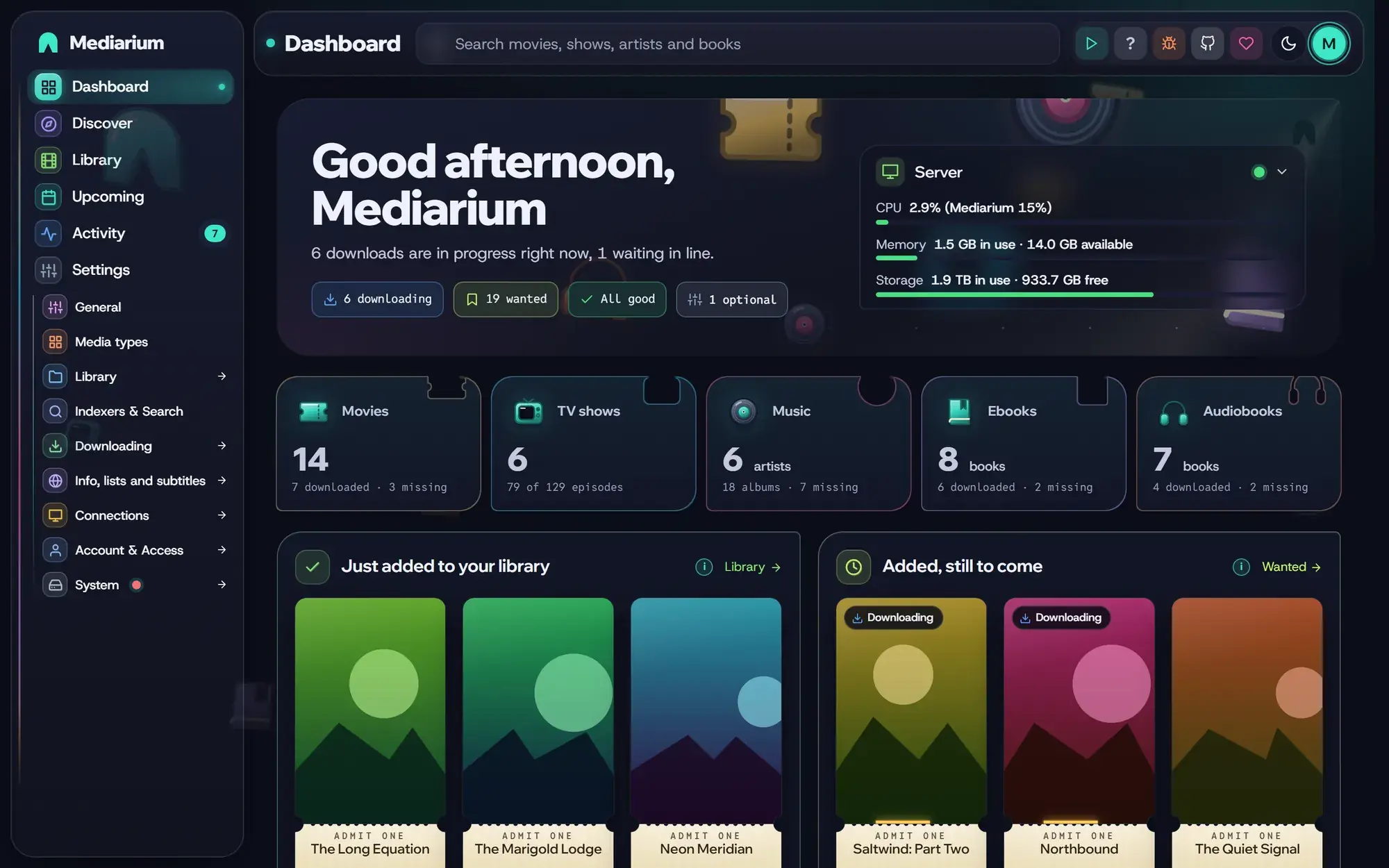
Mediarium finds what you want, downloads it, names it properly and files it. It replaces Radarr, Sonarr, Lidarr, Readarr, Prowlarr, SABnzbd and your torrent client.
 RadarrMovies
 SonarrTV shows
 LidarrMusic
 ReadarrBooks
 ProwlarrIndexers
 SABnzbdUsenet downloads
 qBittorrentTorrents
 BazarrSubtitles
8 apps to look after · one login · one settings page
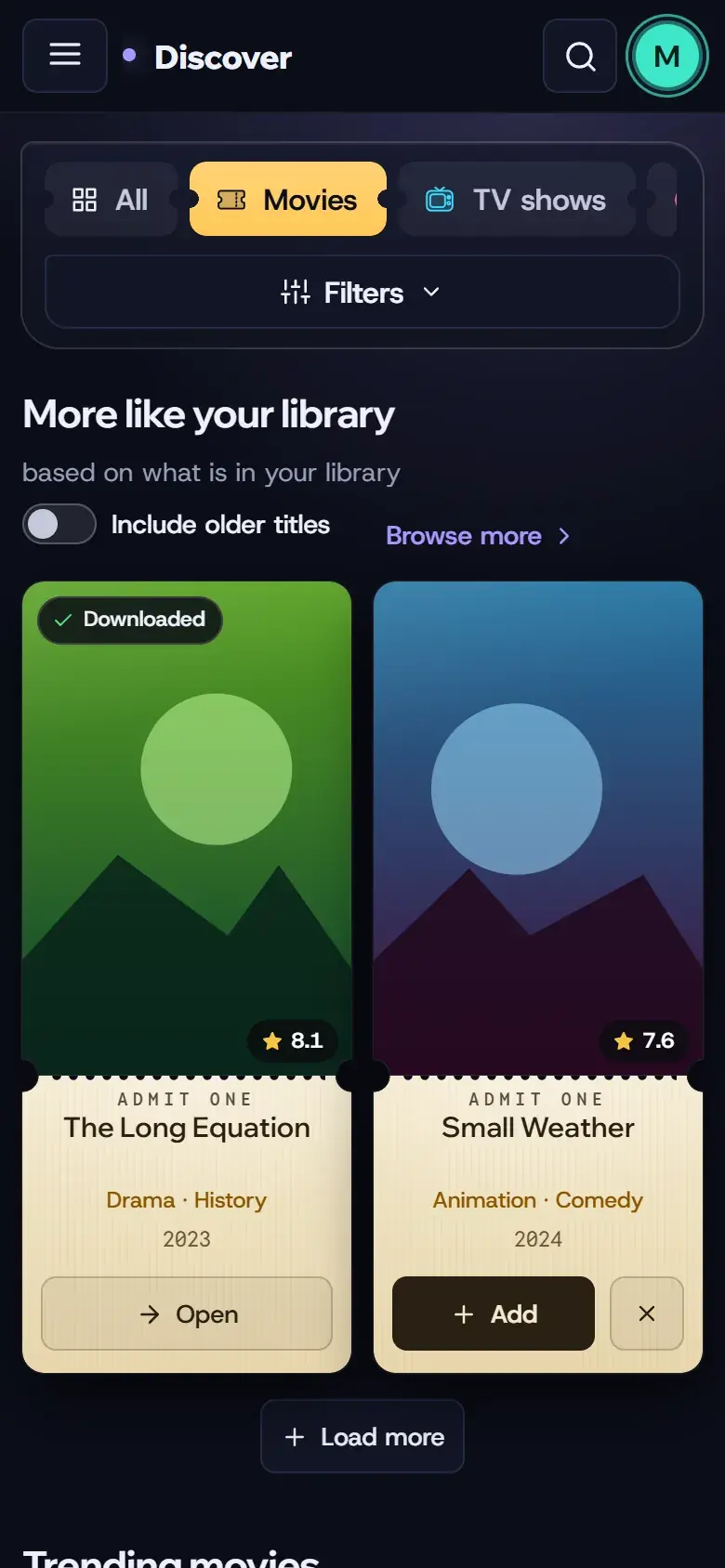
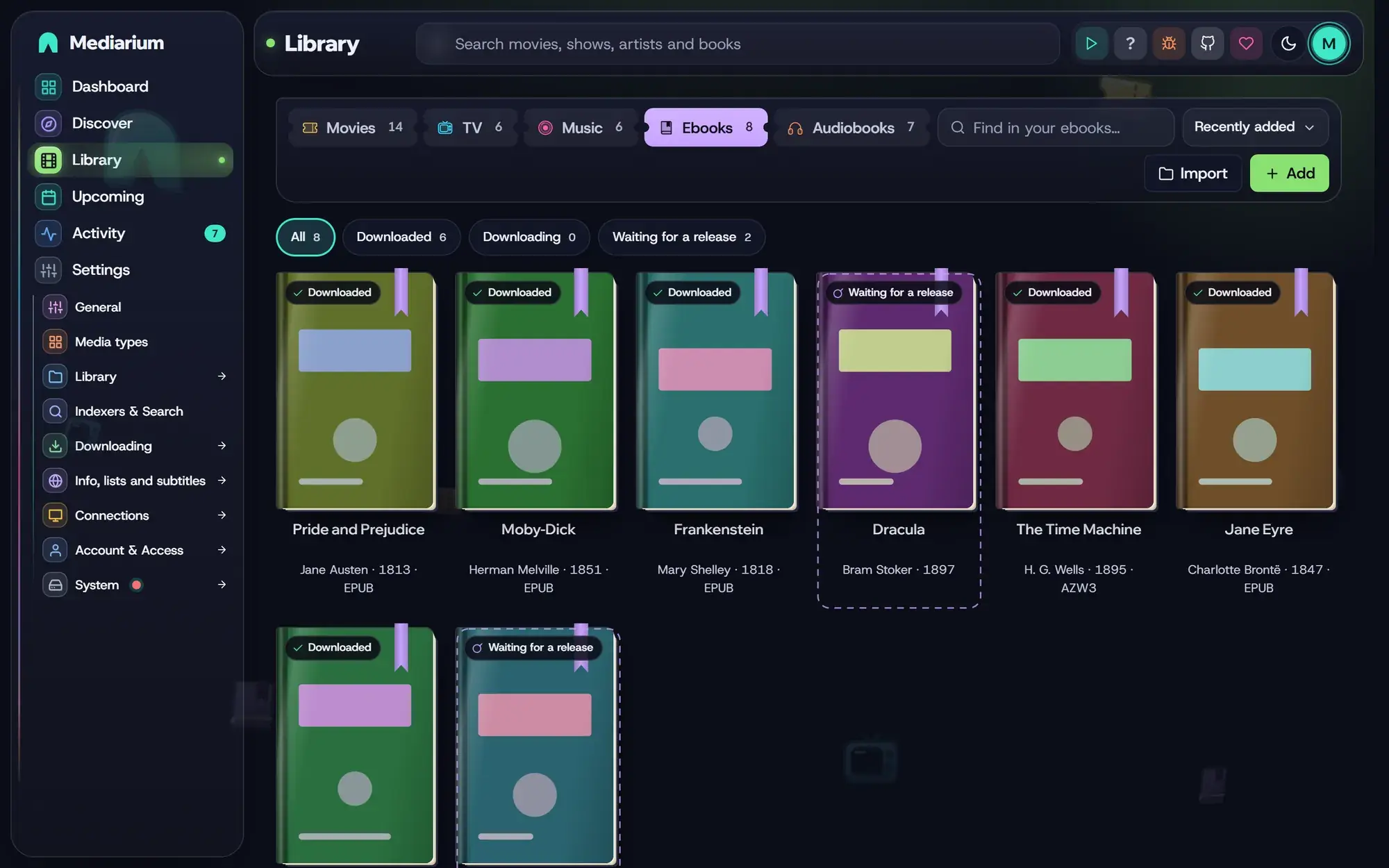
Browse what's popular or new, or take suggestions from your library. Pick a quality and press Add.
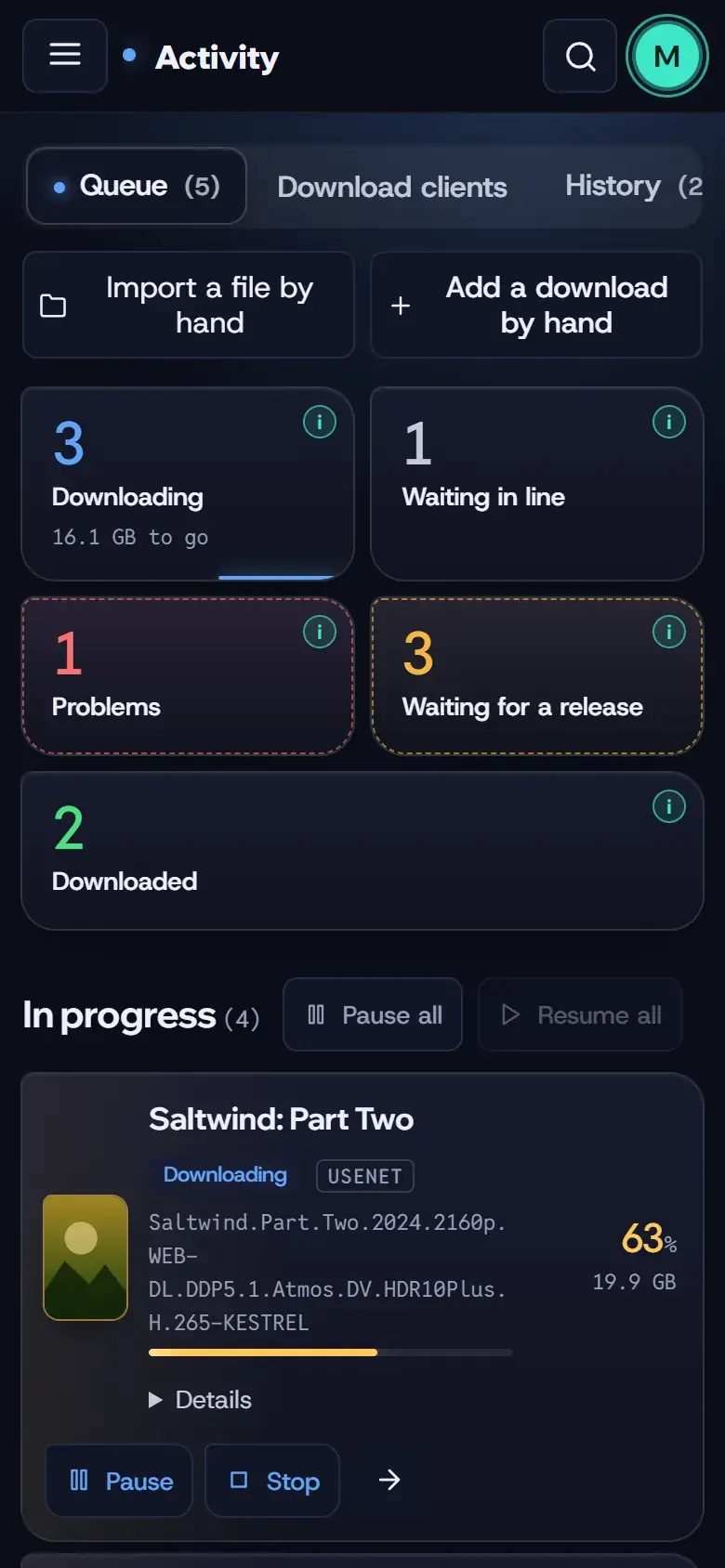
Usenet and torrents are built in. Torrents can run through a built-in WireGuard VPN.
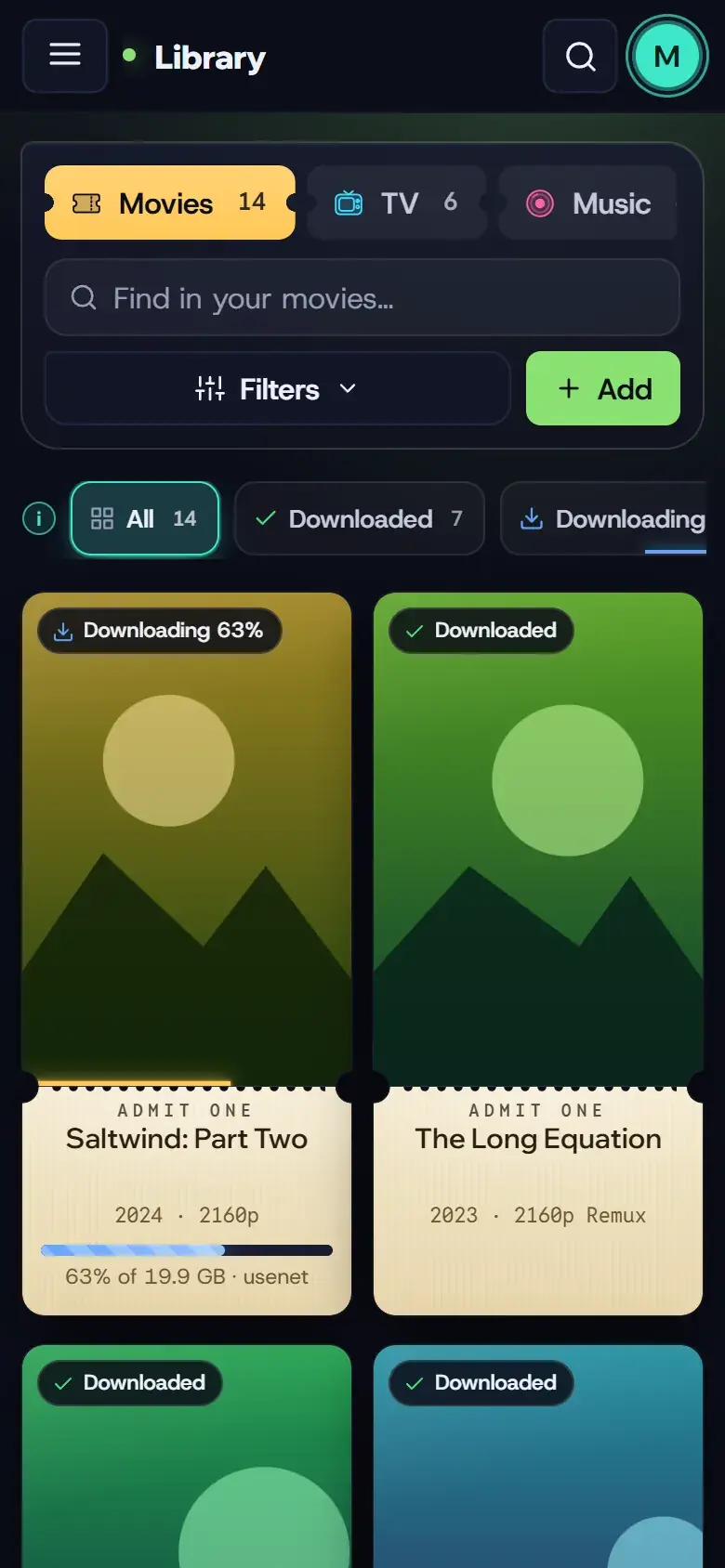
Files get the names you like and the right folder. A better release later replaces the old one.
Plex, Jellyfin, Emby and Silo hear about it when it's ready, and every title gets a Watch button.
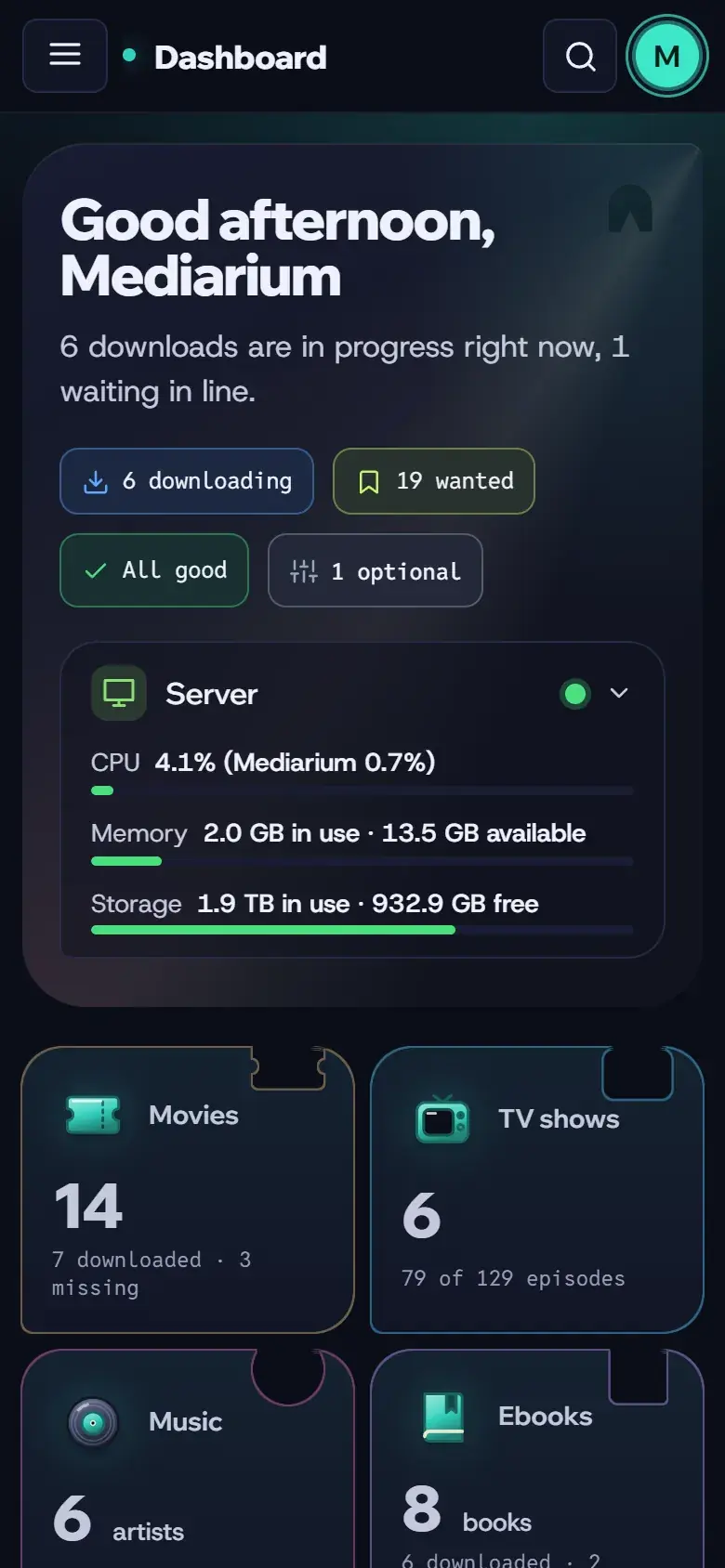
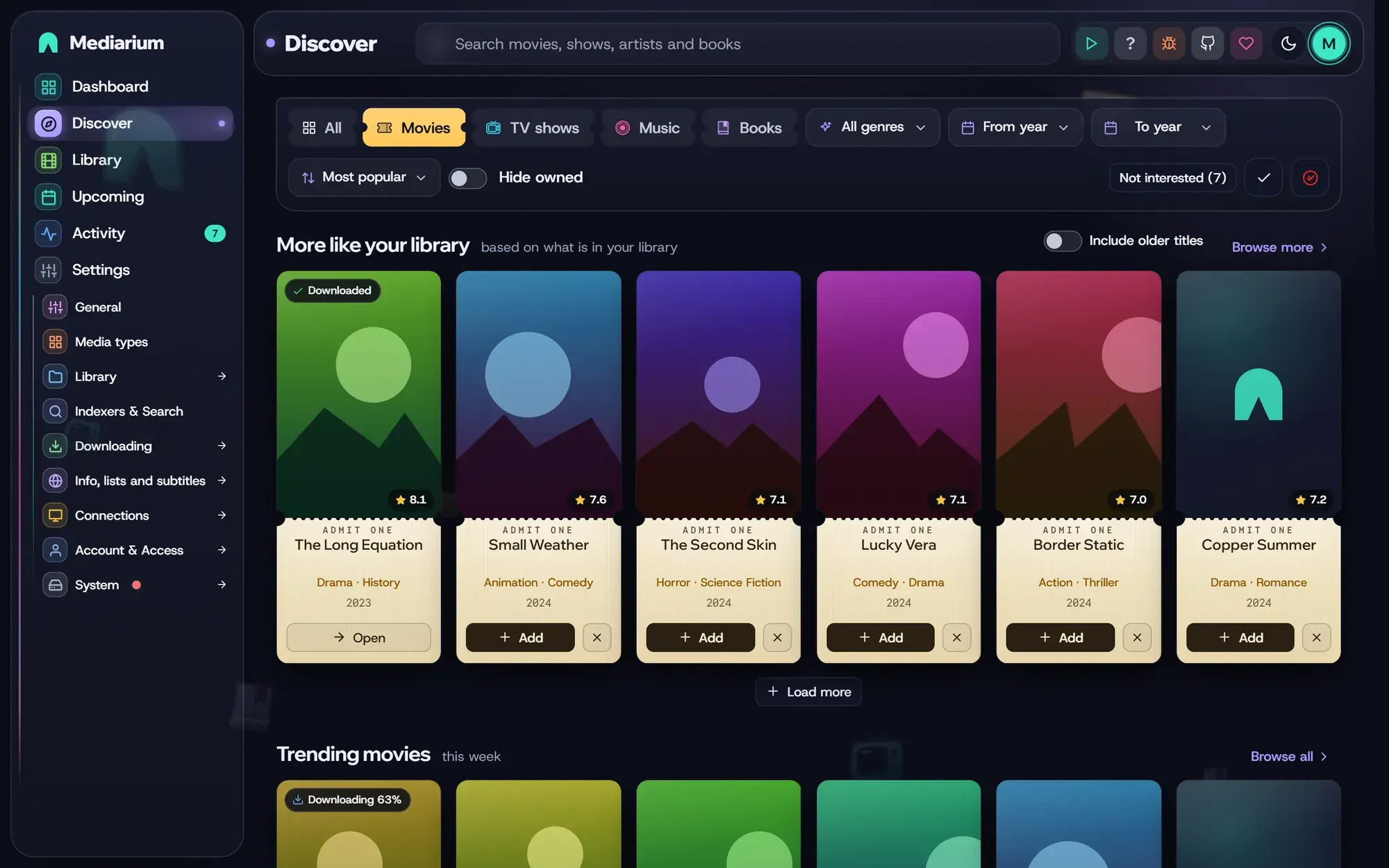
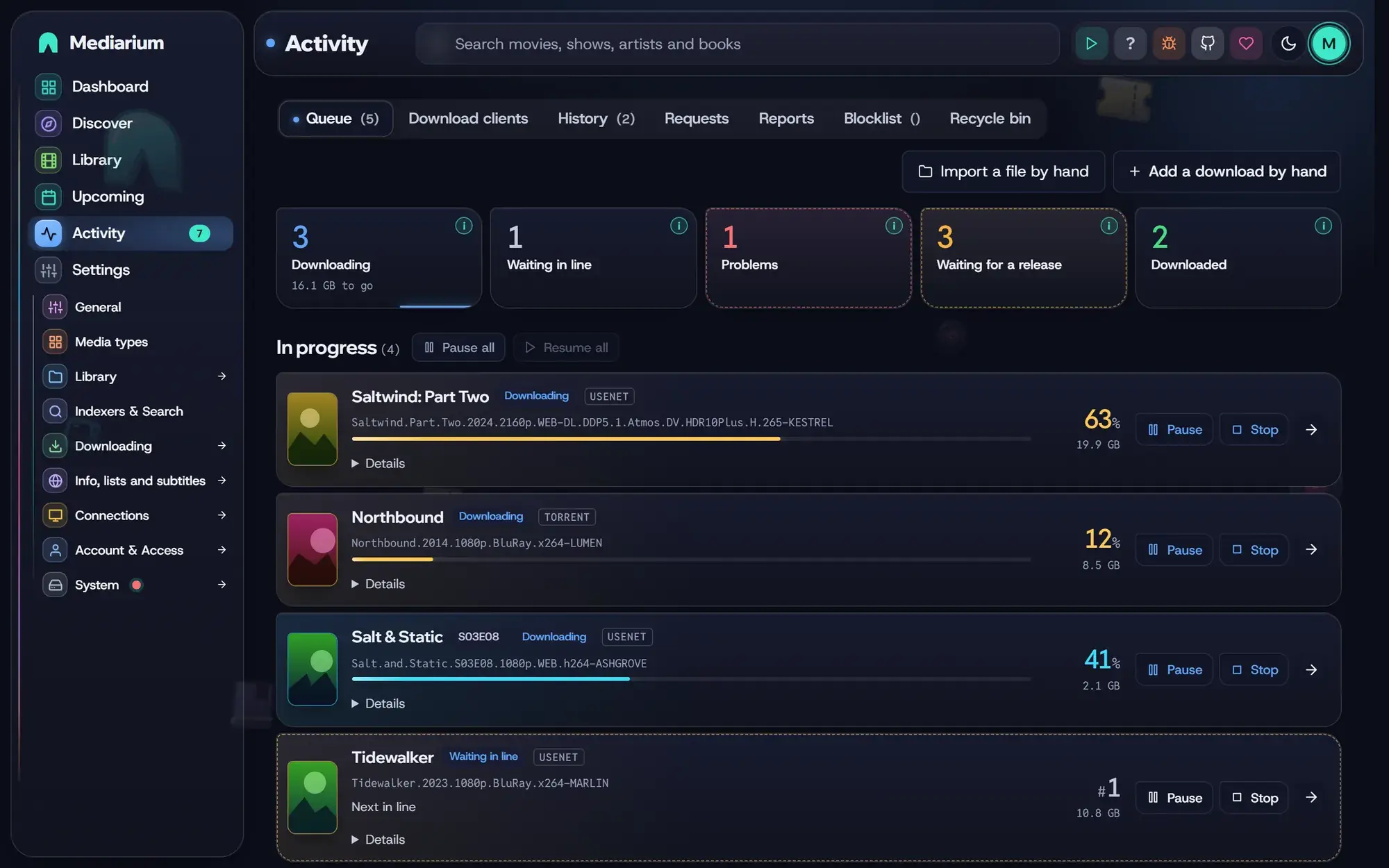
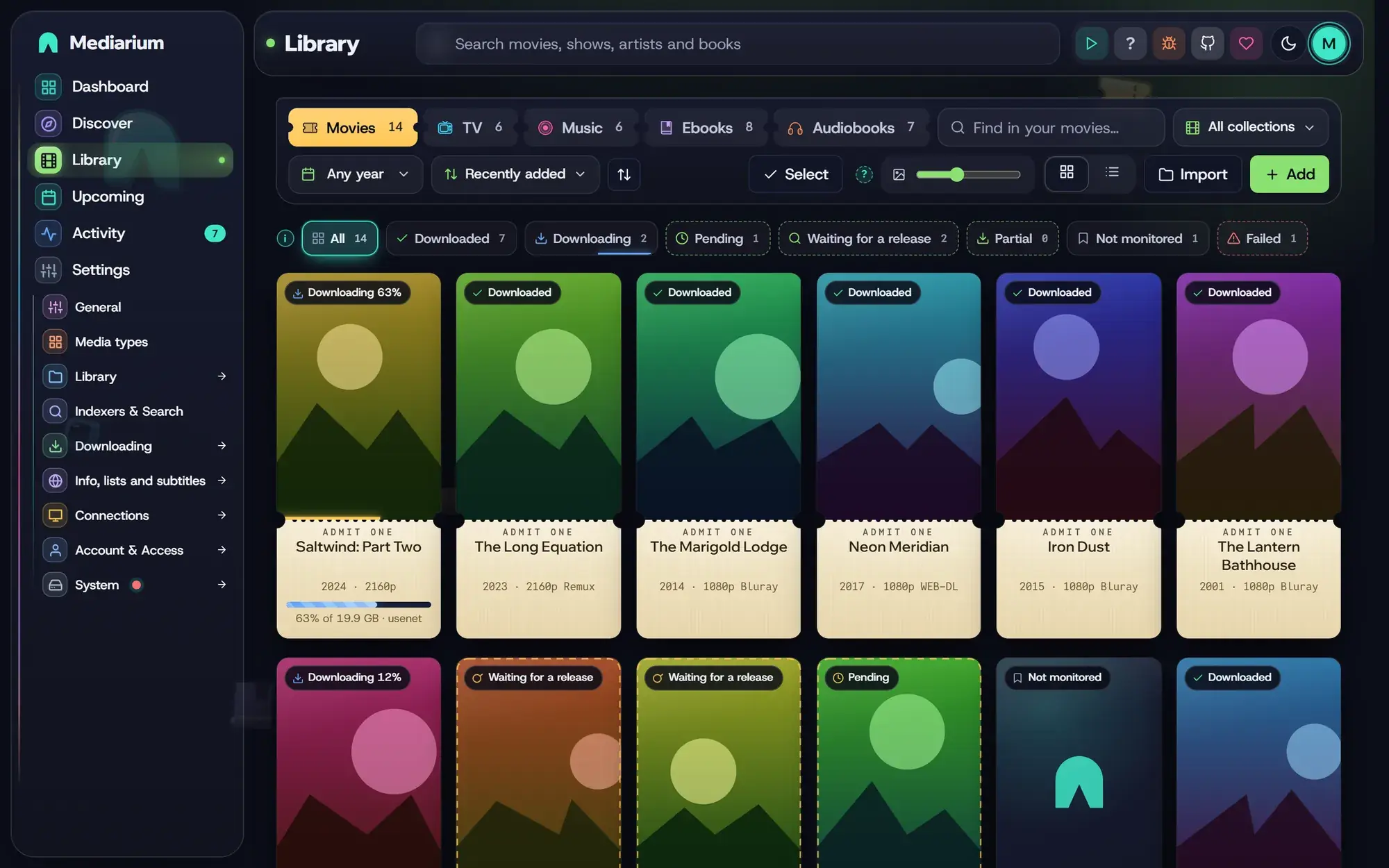
Each kind of media has its own look, so you always know where you are.
Ticket posters
Pick the quality. Better releases replace the file later.
Seasons, anime
Daily shows, anime and double episodes land on the right episode.
Follow an artist
Follow an artist and new albums turn up by themselves.
Read in browser
Find them, file them, read them in the built-in reader.
Listen anywhere
Chapters, speed and a sleep timer in the built-in player.
From search result to tidy file, with nothing for you to do. This is an animation, not a real download.
Searching your 6 indexers
41 releases found, 9 fit your profile
The best one is 2160p WEB-DL, 18.2 GB
Downloading
k3Jd9vQx2LmPz.part01.rar
48 MB/s from Usenet. Downloads go one at a time by default.
Repairing and unpacking
The PAR2 files check out, nothing is missing
k3Jd9vQx2LmPz.mkvNight.Harbour.2021.2160p.WEB-DL.mkv
Files posted with random names get their real names back.
Naming and filing
/movies/Night Harbour (2021)/
Night Harbour (2021) [2160p].mkv
Night Harbour (2021) [2160p].en.srt
Telling your media server
Jellyfin is scanning the folder.
Night Harbour is readyWatch
No separate downloader and nothing to wire together. Here's what people ask about most.
Downloads
Add your Usenet provider and indexers and you're set. Downloads repair, unpack and file themselves.
VPN
Torrents can run through it with no extra container permissions. If it stops working they wait, and an optional kill switch keeps them off without a VPN.
Quality
Pick the qualities you accept and where to stop. Custom formats, TRaSH profiles, and a wait for the protocol you prefer, as in Radarr and Sonarr.
Subtitles
OpenSubtitles, SubDL and sites like subs.ro through add-ons, with a timing fix for ones that drift.
Languages
Six app languages, about thirty for titles and posters. Folders keep the English name.
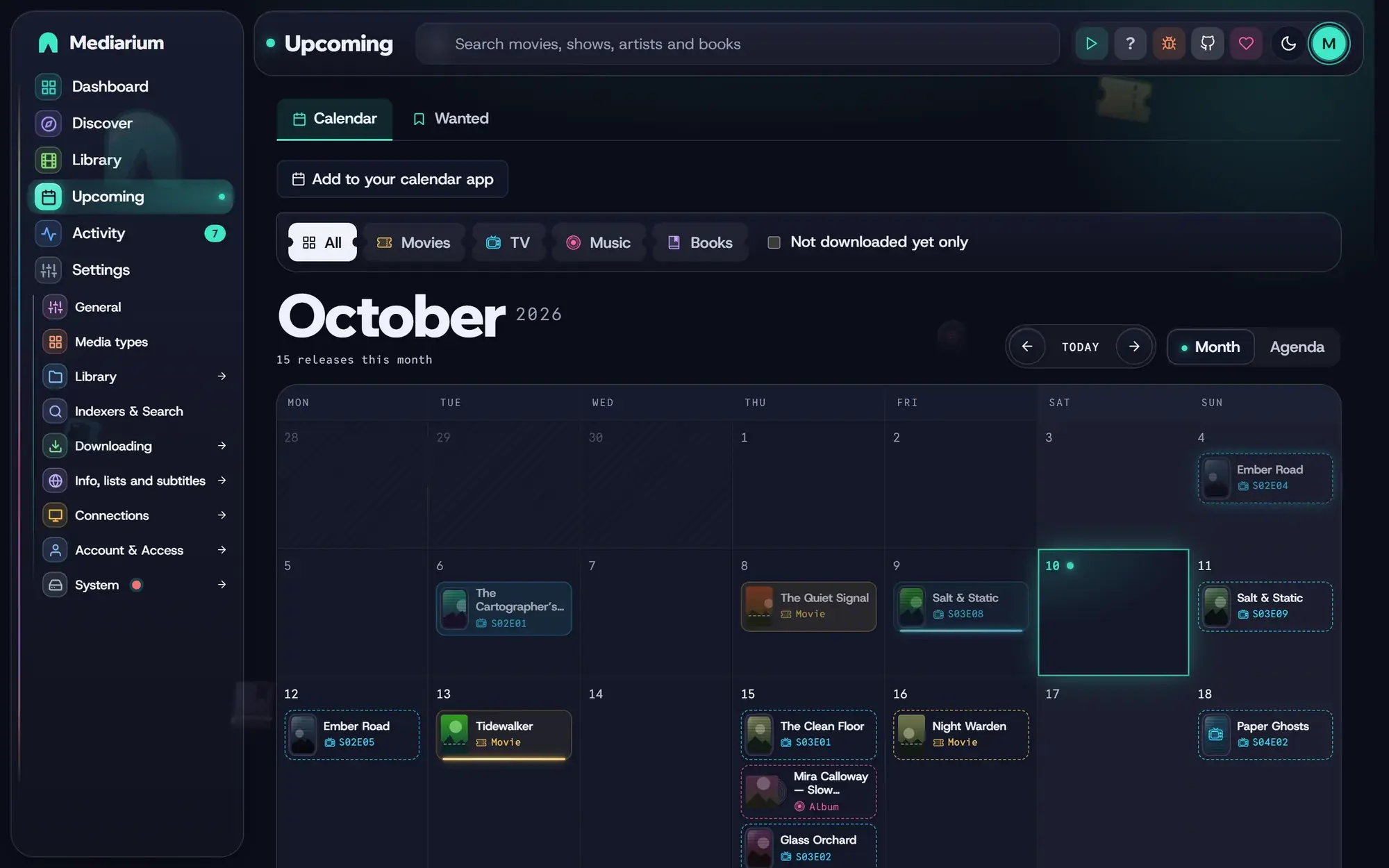
Calendar
Releases for everything you follow, by day. Missing titles are marked, and it can feed your phone's calendar.
Import lists
Lists on Trakt, TMDB, MDBList and IMDb, a Letterboxd export and your Plex watchlist add movies and shows on a schedule, with the quality and folder you pick.
Media servers
Every title gets a Watch button. Books go to Audiobookshelf and Kavita.
Family and friends
Make an account for each person at home or each friend you share with. You choose, person by person, what they may do, so a child can look around and a friend can only ask.
3 of 5 requests left this week
Download clients
Torrents can go to qBittorrent, RDT-Client or Decypharr, or to Real-Debrid or TorBox. The Download clients tab in Activity shows what each downloader is doing.
Read and listen
Ebooks open in the built-in reader, audiobooks and music in the player. Your place is saved on every device. E-readers can use OPDS or Kobo sync.
Mediarium reads your current apps and copies the setup over, so you don't type it all again. Your files stay where they are.
It can read from
RadarrSonarrProwlarrSABnzbd NZBGet
 Jackett
 NZBHydra2
 Overseerr
 Jellyseerr
 OmbiBazarr
 Medusa
And it tells your media server
 Plex
Plex Jellyfin
 Emby
Emby Audiobookshelf
 Kavita
Names and logos belong to their owners. Mediarium is not affiliated with any of them.
The whole app works on a phone. Add it to your home screen and it opens like an app.
Everything lives in one folder you can back up. Mediarium only talks to services you set up, plus a few public ones for posters and details.
One Docker image runs everywhere: ghcr.io/rdborg/mediarium, for 64-bit Intel/AMD and ARM. It is also on Docker Hub as rdborg/mediarium.
http://your-server:8264 and follow the setup.Keep downloads and media in one folder. Never open port 8264 to the internet: use HTTPS and a reverse proxy (see the security guide).
services:
  mediarium:
    image: ghcr.io/rdborg/mediarium:latest
    container_name: mediarium
    restart: unless-stopped
    security_opt:
      - no-new-privileges:true
    ports:
      - "8264:8264"
      - "58264:58264/tcp"
      - "58264:58264/udp"
    environment:
      - PUID=1000
      - PGID=1000
      - TZ=Etc/UTC
      - DOWNLOADS_DIR=/data/downloads
      - MOVIES_DIR=/data/movies
      - TV_DIR=/data/tv
    volumes:
      - ./config:/config
      - ./data:/data
Then run docker compose up -d.
uname -m        # must print aarch64
mkdir -p mediarium/config mediarium/data && cd mediarium
# save the compose file here, then
docker compose up -d
A Pi 3, 4 or 5 with a 64-bit system works. Keep the settings and your media on a USB SSD or hard disk, not the SD card. Linux and Pi guide
Install Docker Desktop, then use the same compose file. That is fine for trying Mediarium out.
For a machine that runs day and night, a NAS or Linux server is the better home. Sharing Windows or Mac folders with Docker is slower, and hardlinks may not work there.
On DSM 7.2 or newer, make a project in Container Manager, paste the compose file and start it.
In Container Station 3, go to Applications, press Create and paste the compose file.
Open the Docker tab and press Add Container. Unraid uses a form instead of a compose file, with the same fields.
On TrueNAS SCALE 24.10 or newer, go to Apps, Discover Apps, open the menu next to Custom App and choose Install via YAML. Paste the compose file.
Open the App Store, use the + menu, choose Install a customized app and then Import. Paste the compose file.
Go to Stacks, Add stack, and use the Web editor. Paste the compose file and press Deploy the stack.
With omv-extras installed, open Services, Compose, Files and press Add. Paste the compose file.
It runs on
 Docker
 Raspberry Pi
 Synology
 QNAP
QNAP Unraid
 TrueNAS
 Portainer
 CasaOS
 OpenMediaVault
 Nextcloud
 Kodi
KodiMost of what's new came from a comment or an issue, and every idea is credited by name.
Mediarium finds, downloads, names and files your movies, TV, music, ebooks and audiobooks. Radarr, Sonarr, Lidarr, Readarr, Prowlarr, SABnzbd and a torrent client each do one part, and you wire them together. Mediarium does all of those jobs in one container, with one web page, one login and one backup. It can read your settings from the old apps, so you don't start from zero.
No. Indexers, a Usenet downloader and a torrent client are built in. If you already run qBittorrent, RDT-Client or Decypharr, or use Real-Debrid or TorBox, Mediarium can send torrents there instead. Prowlarr and Jackett still work as sources of indexers if you like them.
Yes. It's under the AGPL-3.0, with no ads and no paid version, and no usage numbers unless you choose to share them. The code is on GitHub.
No. Mediarium doesn't host, store, index, upload, stream or provide any media, and it comes with no indexers or content sources. You add your own accounts, and you are responsible for what you download and for following the law where you live. It is meant for things you have the right to get, such as public-domain works, backups of media you own and freely licensed content. The legal notes say more. They are not legal advice.
Any Usenet provider that gives you a normal server address and login, and any indexer that offers a Newznab API. Torrent sites work too, from a community list or through Torznab (from Prowlarr or Jackett, for example). Mediarium doesn't sell, recommend or earn money from any of them. There are no affiliate links.
Plex, Jellyfin, Emby and Silo are told to scan as soon as a download is ready, and every title gets a Watch button. Books go to Audiobookshelf and Kavita, and any other server can be told by a webhook. Kodi reads the NFO and artwork files Mediarium can write next to your videos, so point it at the same folders.
Yes to both. Point Mediarium at your folders and it adds what is there without moving, renaming or deleting a file. Settings > System > Move from other apps reads your setup from Radarr, Sonarr, Prowlarr, SABnzbd and more. It only reads, so nothing in the other apps changes and you can run both side by side. See the move guide.
Anything that runs Docker on 64-bit Linux, Intel/AMD or ARM: a regular server, Synology, QNAP, Unraid, TrueNAS SCALE, CasaOS or ZimaOS, OpenMediaVault, Portainer, or a Raspberry Pi 3, 4 or 5 with a 64-bit system. On a Windows PC or a Mac it runs in Docker Desktop, which is fine for trying it out. For a machine that runs day and night, a NAS or Linux server is better. Sharing Windows or Mac folders with Docker is slower and hardlinks may not work. See what runs where.
The image is about 20 MB to download, and there is no published minimum. It runs on a Raspberry Pi, where unpacking big downloads is slow. Keep Mediarium's settings and your media on a proper disk, not an SD card. The optional Cloudflare helper in the -full image takes about 250 MB of memory. Most of your disk space will go to the media itself.
Yes. Everyone gets their own account, and you decide what each one can do: add titles themselves or send you a request to approve, pick releases, search, retry, get subtitles, play, and which kinds of media they can use. A Viewer account can only look. You can limit requests per day or week, and make read-only API keys for dashboards. See accounts.
There's no separate app. The whole site works on a phone, and you can add it to your home screen to open it like an app. Mediarium Books, the reader and audiobook player, installs on its own. Notifications can reach your phone from the browser. Phone apps made for Radarr and Sonarr, such as nzb360, LunaSea and Ruddarr, can connect too.
They work end to end once you switch them on under Media types. Ebooks open in the built-in reader and audiobooks in the player, and both remember your place. Music has a player with playlists and synced lyrics. E-readers can use the OPDS catalogue, and Kobo devices can sync (Kobo sync is new and has been tested with test files, not on a real Kobo yet).
Yes, once you switch them on. Mediarium looks on OpenSubtitles and SubDL in the languages you pick, and on other sites through add-ons. It prefers a subtitle made for your exact file, and it can shift one that is out of sync.
A WireGuard client is built in for torrents. Paste the .conf file from your VPN provider and switch it on. Only torrent traffic goes through it. If the VPN stops working, torrents wait instead of connecting directly, and an optional kill switch stops them whenever no VPN is connected. It needs no extra container permissions.
Mediarium checks GitHub once a day and tells you when there is a new version. You update by pulling the new image, or with an Update now button for signed releases. A backup of your settings and database is saved every night, and you can download one any time or send copies to S3-style storage or WebDAV. Media files are never part of it.
Nothing goes to us. Mediarium only contacts the services you set up, public sources such as TMDB for titles and posters, and GitHub once a day to look for a new version (you can switch that off). There are no accounts. If an administrator says Yes when the app asks, it sends one small anonymous message a day (a random ID, the version and rough device sizes; never names, titles or addresses), and the totals are public at mediarium.app/stats. Saying No sends nothing. This website counts visits with Google Analytics, but only if you accept.
Yes. Put it behind HTTPS and never open port 8264 to the internet. It can run under a path such as /mediarium with one setting, and it can take the sign-in from Authelia or Authentik. The security guide has the steps.
The screens come in English, Spanish, German, French, Brazilian Portuguese and European Portuguese. Titles, descriptions and posters can be in about thirty languages. Messages from the server itself stay in English for now.
Use the bug button at the bottom of the sidebar. It sends your note privately or opens a GitHub issue with everything filled in. You can also open an issue, or ask other users in the Reddit community. Ideas that make it in are credited by name.
Report what breaks, share ideas, test on a platform nobody has tried, or translate a language. Code is welcome too: the project follows a code of conduct and takes pull requests on GitHub. A coffee on Ko-fi helps pay for the website and the hours behind it.
There are no ads and no paid version. If it saves you time, a coffee helps pay for the website and the hours spent keeping it working.
A note on use. Mediarium organises and automates. It doesn't host, index or supply any content. It's meant for material you have the legal right to get: your own backups, public-domain and freely licensed works, and content you're licensed to use. You are responsible for what you download and for following the law where you live.
Enjoying Mediarium?
It is free and made in spare time. A coffee helps keep it running.
Support on Ko-fiNo account needed. Opens Ko-fi in a new tab. Nothing loads from Ko-fi until you click.